
Editing a Question
- On the left navigation menu choose “WOO SUBSCRIPTION CANCEL QUESTIONNAIRE (PREMIUM)” and then “LIST OF QUESTIONS”
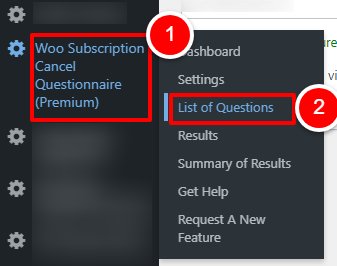
OR
Open the plugin dashboard and click the “LIST OF QUESTIONS” tab
- Find the question you would like to change

- Make changes to any of the following fields:
- Active
Toggle the switch on or off to make it active - Question
Make changes to the question type and click outside the field to save changes - Required Field
Toggle the switch on or off to make it a required field
- Active
If you make changes to the name of the question, you will see a warning as any historic data will be re-labelled. If you want to keep your historic data, make the question in-active and create a new question.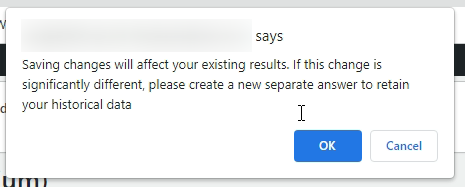
To make changes to the answers, follow the steps here.