
Summary Results
See a summary of results grouped by question then answer for the questionnaire results.
For questions that are of type TEXT AREA or TEXT, these are not shown due to the volume and can be viewed on the results screen.
- On the left navigation menu choose “WOO SUBSCRIPTION CANCEL QUESTIONNAIRE (PREMIUM)” and then “SETTINGS”
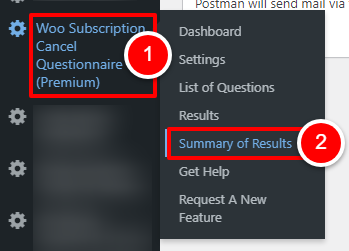
OR
Open the plugin dashboard and click the “SETTINGS” tab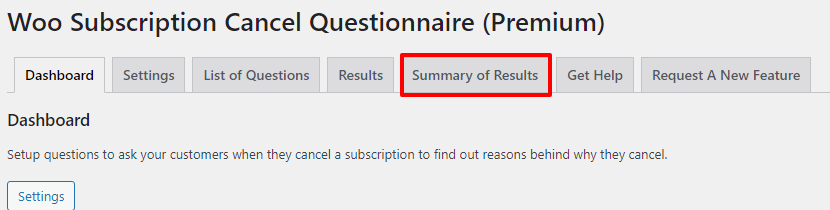
- A list of results for every cancellation is shown.
Each line shows the question and answer the customer populated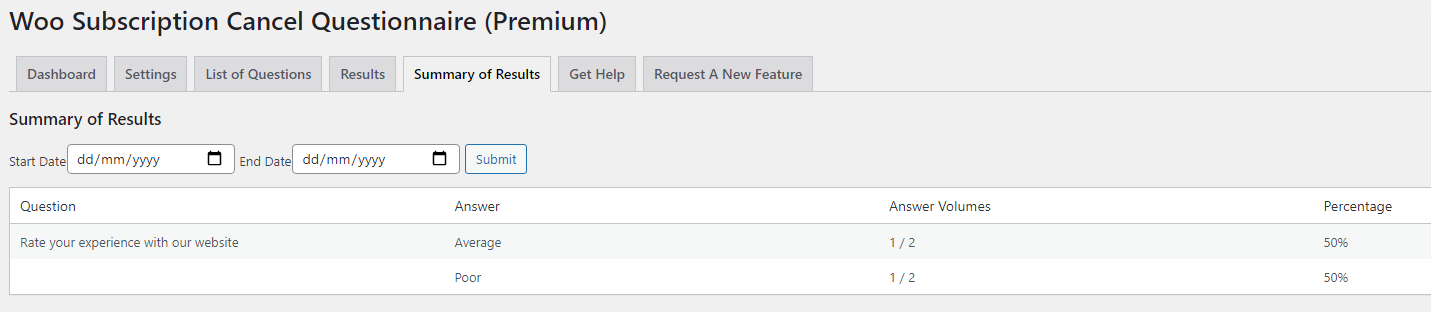
Filtering Results
Using the “START DATE” and “END DATE” fields, you can select to see results only within a particular time period.
When choosing dates, the date selected is included within your filter range.
EXAMPLE: Your START DATE = 01/01/2021 and END DATE = 01/01/2021 will show only results for that particular day (01/01/2021)
