How to Install
- Download the ZIP file (plugin file) from your dashboard here
- Login to the backend of your WordPress website
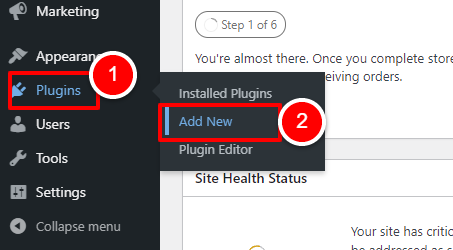
- Hover over “PLUGINS” on the left navigation menu, and click on “ADD NEW”
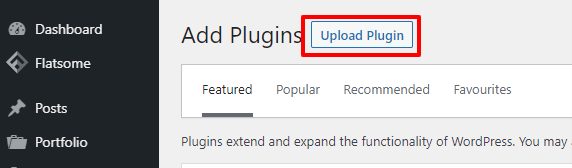
- At the top click “UPLOAD PLUGIN”
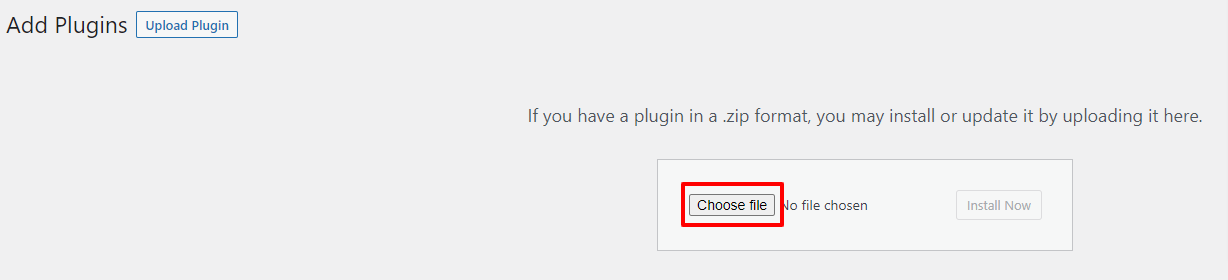
- The upload area will appear. Click “CHOOSE FILE” and find the file on your machine.
This will be the ZIP file you downloaded from within The WP Makers dashboard
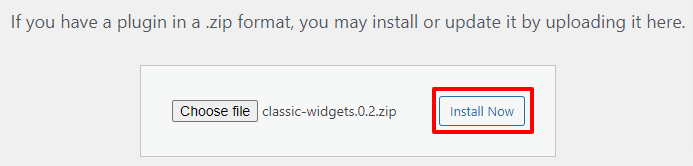
- Once you have selected your file, you will see the filename shown on the screen

- Now you are ready to install. Click the “INSTALL NOW” button
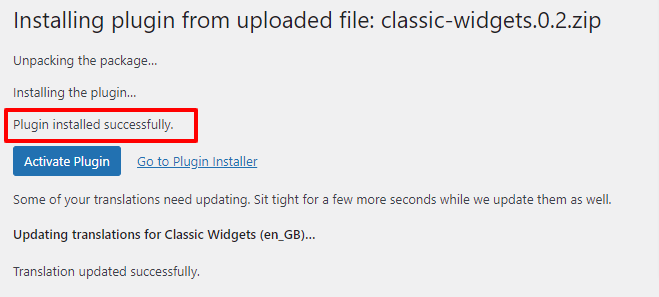
- The upload will now start and the page will load. Once complete, you should see “Plugin installed successfully”.
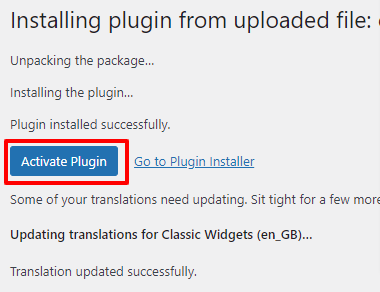
- Now we need to activate the plugin by clicking “ACTIVATE PLUGIN”
- The activation will now start and the plugins list page will be show.
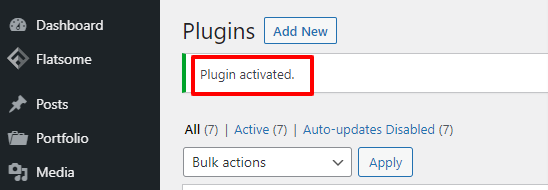
You will see the “PLUGIN ACTIVATED” text to validate it has activated correctly.