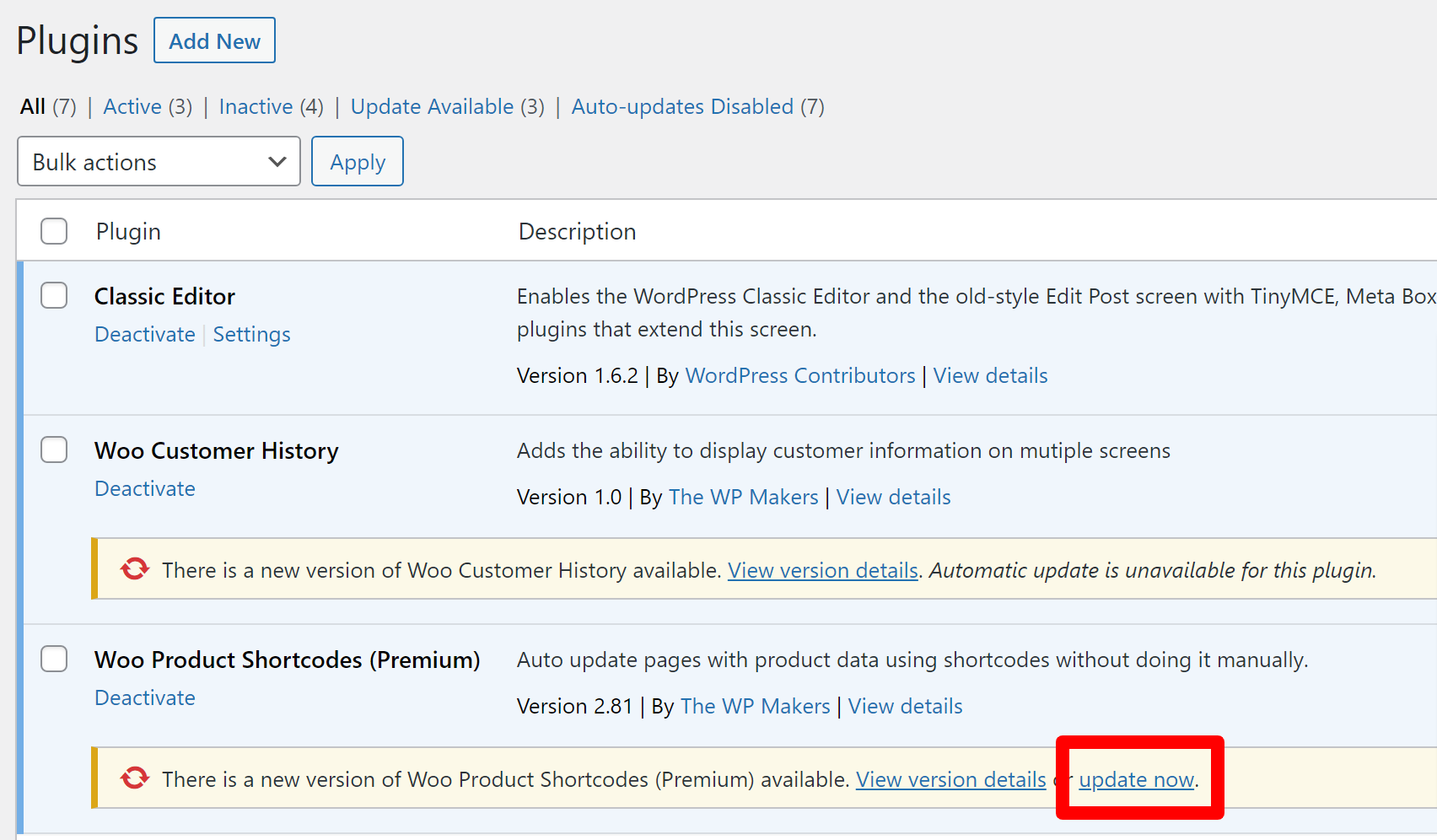
How do I get updates to the plugin
Plugins are automatically downloaded by your WordPress environment periodically and most environments will wait for you to manually update them when convenient for you.
- Login to the backend of your WordPress website
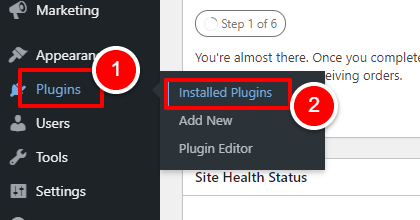
- Hover over “PLUGINS” on the left navigation menu, and click on “INSTALLED PLUGINS”
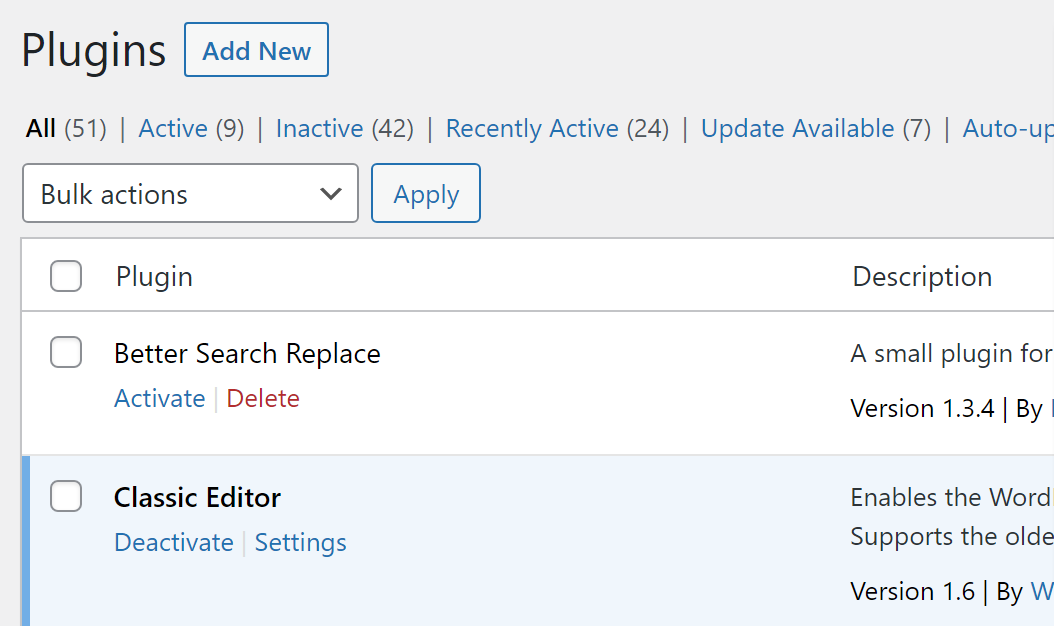
- A list of plugins will now show within your WordPress environment
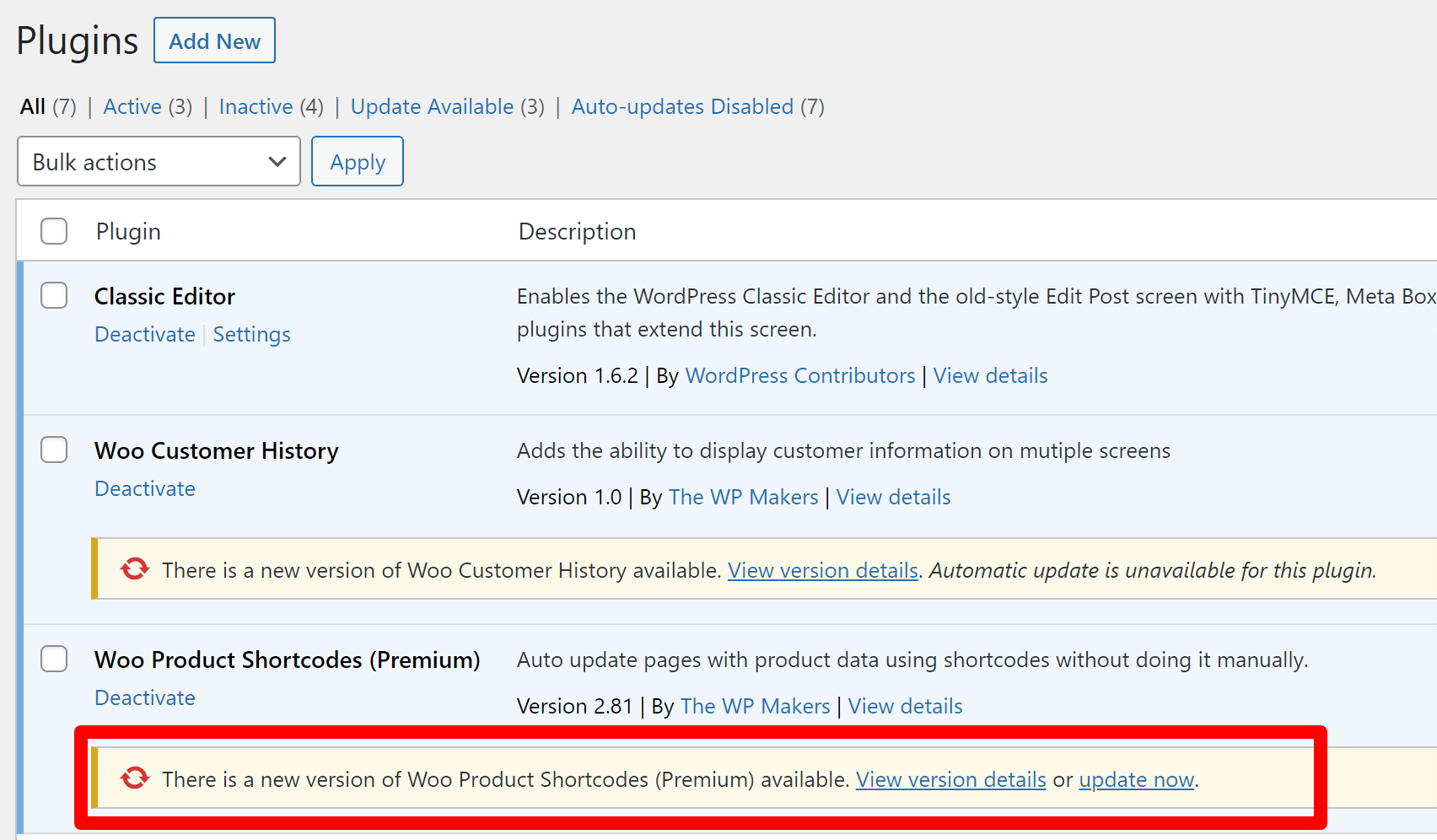
- If an update is available to the plugin, a yellow bar will be waiting underneath the row for the plugin
- Click “UPDATE NOW” to apply the update